

The Research Terminal is HEY's deep research workspace for projects building on Robinhood Chain. It is in beta. Everything on the public site and its API stays free; the Terminal adds depth on top of it. This page is the user guide: what the Terminal is, how to get in, what each view shows, and how to read it.
What the Terminal is
The public site answers "who is building, and what did they ship?" in a few seconds. The Terminal is for the next hour of research on one project or on the whole chain: the full timeline with a record behind every entry, a price chart with build events drawn on it, contracts and their usage, the sources HEY reads, and questions answered from HEY's records.
It is the same research by the same rules, shown at a higher density. A project's activity status, Build Momentum and ranking are the same in the Terminal and on the public site, and none of them reads a price, a holding or a payment.
What stays free
Project pages, each project's market page, the timeline, what changed, ships and signals, and the public API all stay open to everyone, with no account. The Terminal access page keeps the one table of what the Terminal adds and what stays free, checked against what the product actually gates. Read it there rather than here, so there is only one copy.
How to get in
There are two ways in. Both start with signing in with a wallet.
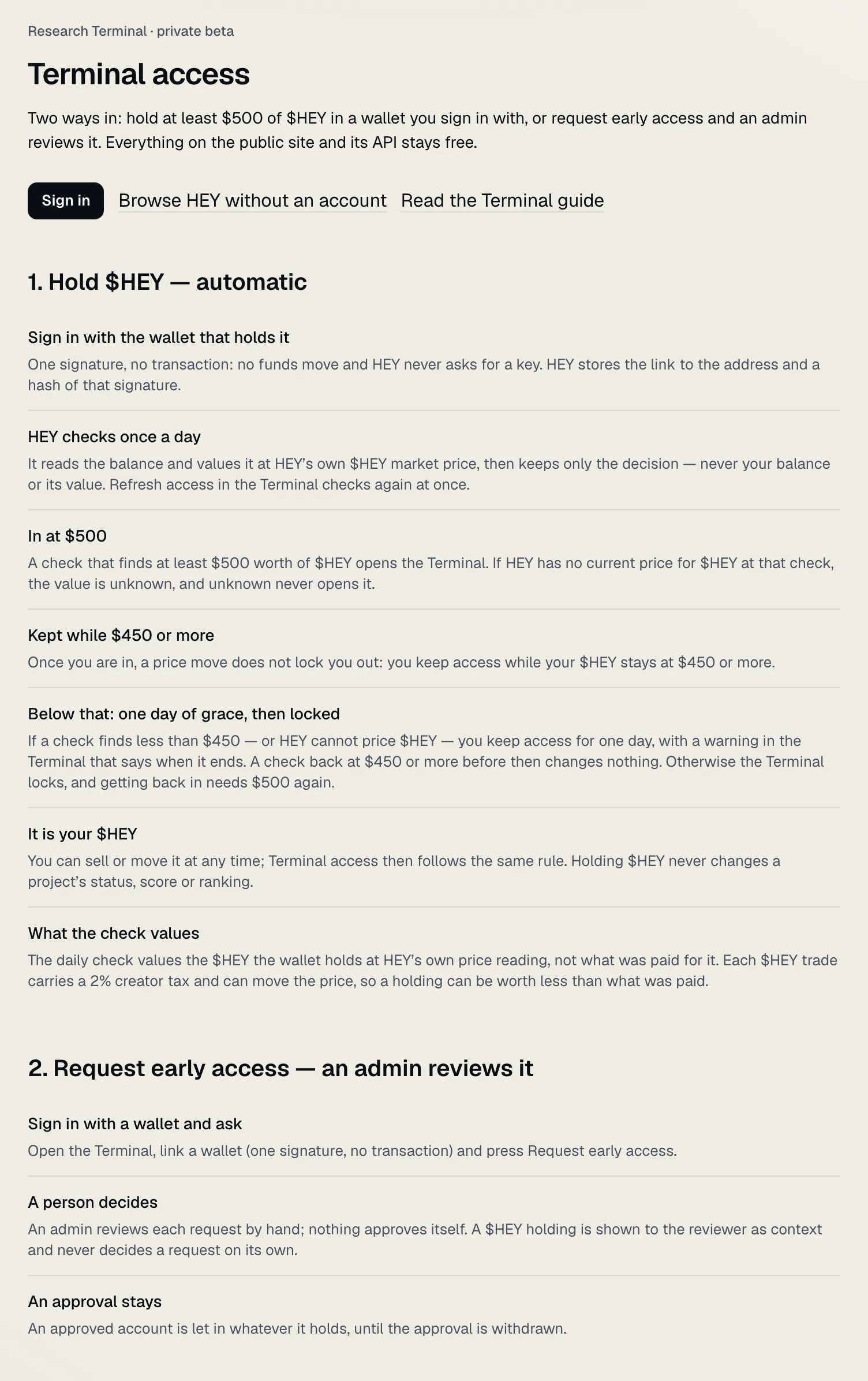
Hold $HEY
Hold at least $500 worth of $HEY in a wallet you sign in with.
- HEY checks once a day. It reads the wallet's balance and values it at HEY's own $HEY market price, then keeps only the decision, never your balance. "Refresh access" in the Terminal checks again at once.
- Kept while $450 or more. Once you are in, a price move does not lock you out: you keep access while your $HEY is worth $450 or more.
- One day of grace. If a check finds less than that, or HEY has no price for $HEY, you keep access for one day, with a warning in the Terminal that says when it ends. After that the Terminal locks, and getting back in needs $500 again.
- Unknown never opens it. If HEY has no current price at the check, the value is unknown, and unknown never opens the Terminal.
The check values what the wallet holds at HEY's price reading, not what was paid for it. This guide is not a reason to buy $HEY and gives no advice about it. Holding $HEY never changes a project's status, score or ranking. The figures above are the rules today; the Terminal access page always shows the current ones.
Request early access
Sign in, open the Terminal and press Request early access. A person reviews each request by hand; nothing approves itself. A $HEY holding is shown to the reviewer as context and never decides a request on its own. An approval stays until it is withdrawn, whatever the account holds.
See one project before you have access
One project is fully open in the Terminal to every reader, signed in or not: every tab, the real data, no locks. It is labelled Sample project at the top of its workspace, and the Projects page links it ("See one project fully unlocked"). Today it is HEY's own project, Hey Research Lab, researched by exactly the same rules as every other project. Every other project's research opens with access.
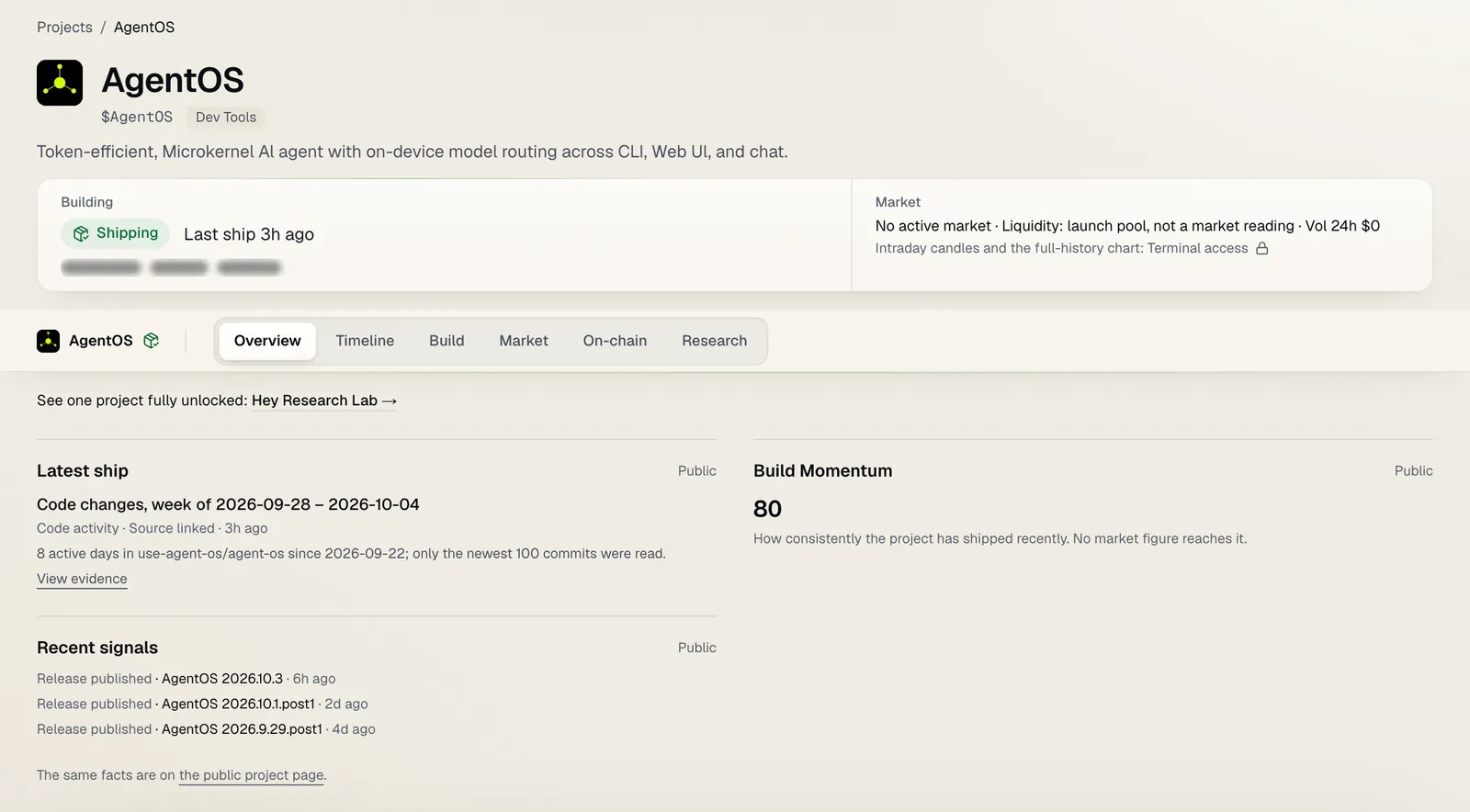 Any other project, signed out: what the public site shows stays open; the rest opens with access.
Signing in with a wallet
Signing in is one signature, never a transaction. No funds move, nothing is approved, and HEY never asks for a private key or a recovery phrase. HEY stores the link to the address and a hash of that signature. If anything ever asks you to send funds to get into the Terminal, it is not HEY.
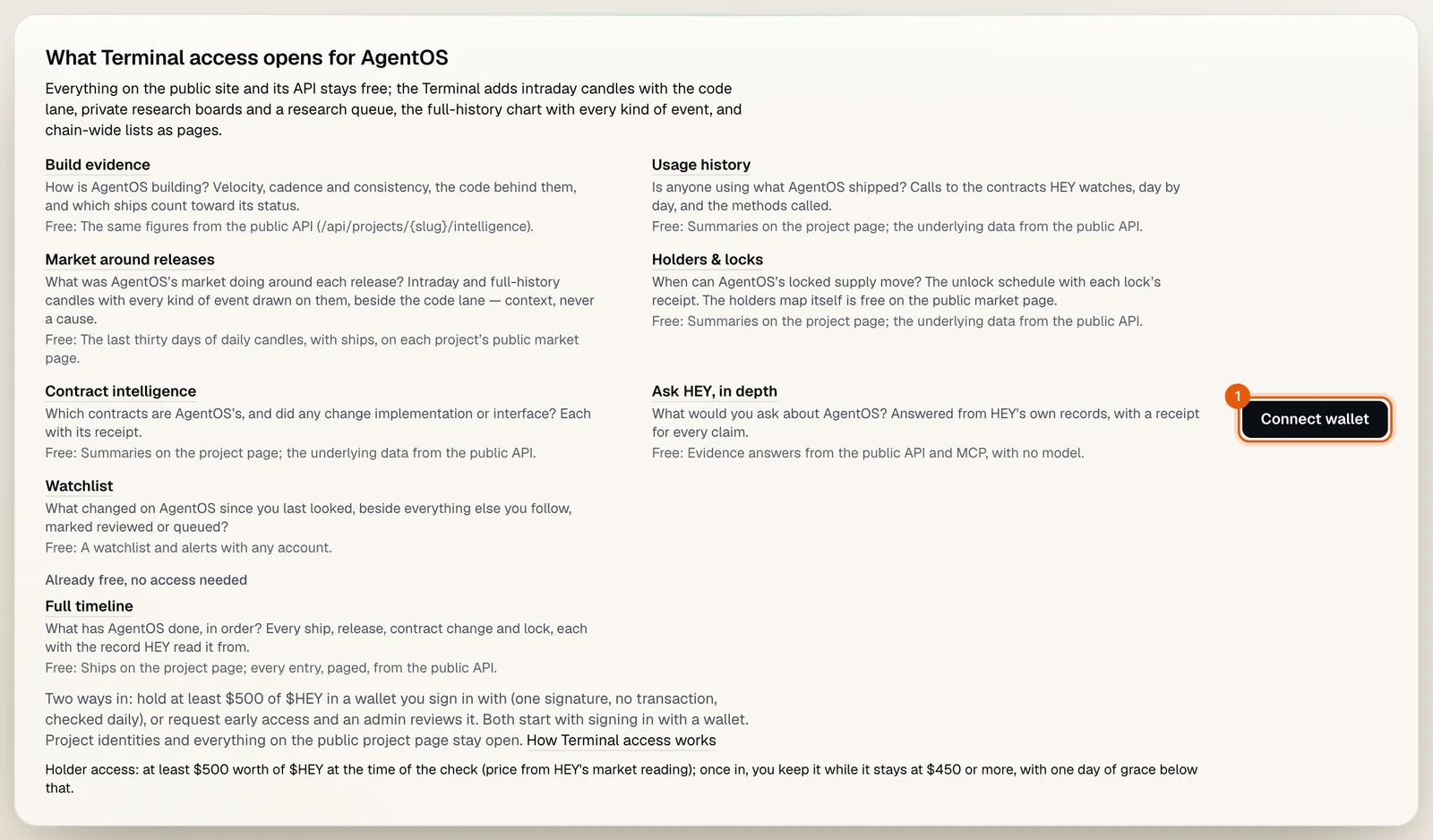 1 Connect wallet starts the signature. Request early access is offered once you are signed in.
A tour
Projects
Projects in the header is the Terminal's front page: every published project with a token, the most recent shipper first. The questions most readers start with are one press each: Still Building, Under the Radar, Open-source code and Live market. Filters and sorting sit behind one button. Sorting by valuation, liquidity or volume is context you asked for, never a ranking of builders, and a project with no reading follows in shipping order rather than as a zero.
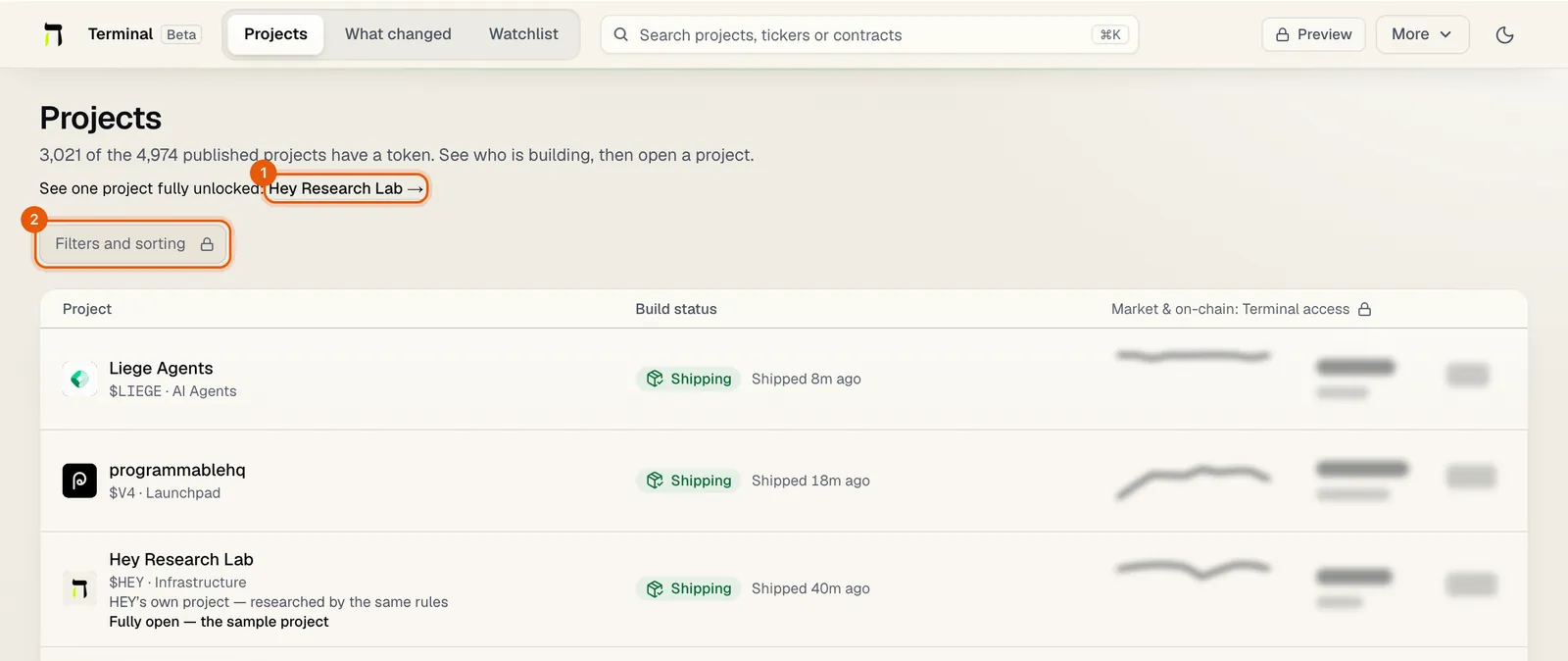 1 The sample project, open to everyone. 2 Filters and sorting, locked until you have access, as here.
A project's workspace
Open a project and its workspace opens on Overview. The header keeps the project's identity, its activity status and last ship, and its market context. Follow, Compare and a ⋯ menu (Add to review queue, Add to board, the public page and the project's links) sit at the top right.
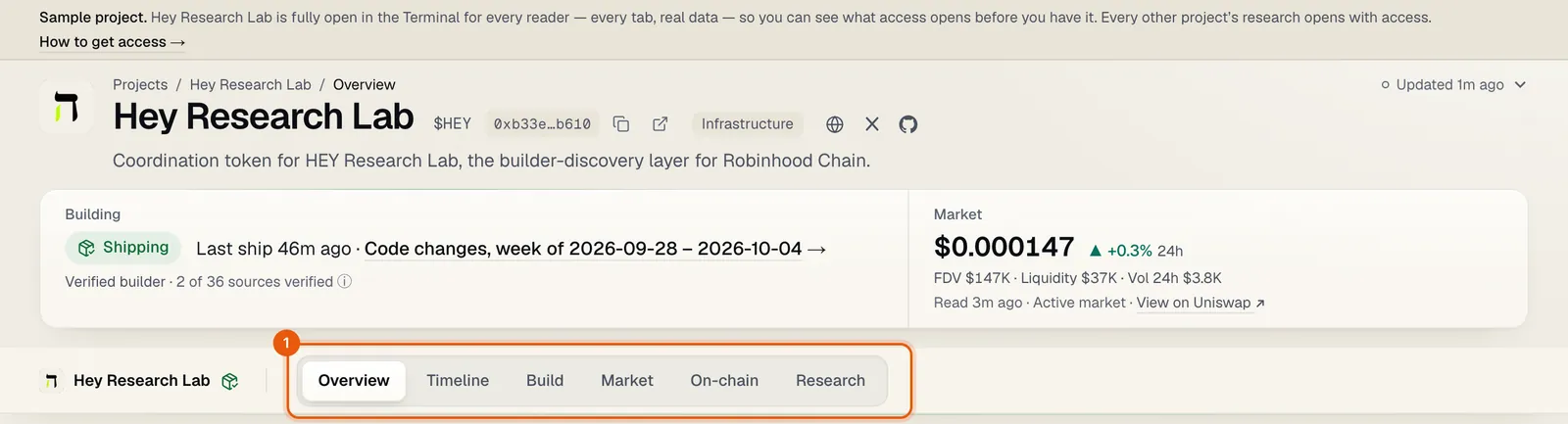 1 The six groups. Follow, Compare and the ⋯ menu are a Terminal reader's own tools, so the sample project, shown here, has none.
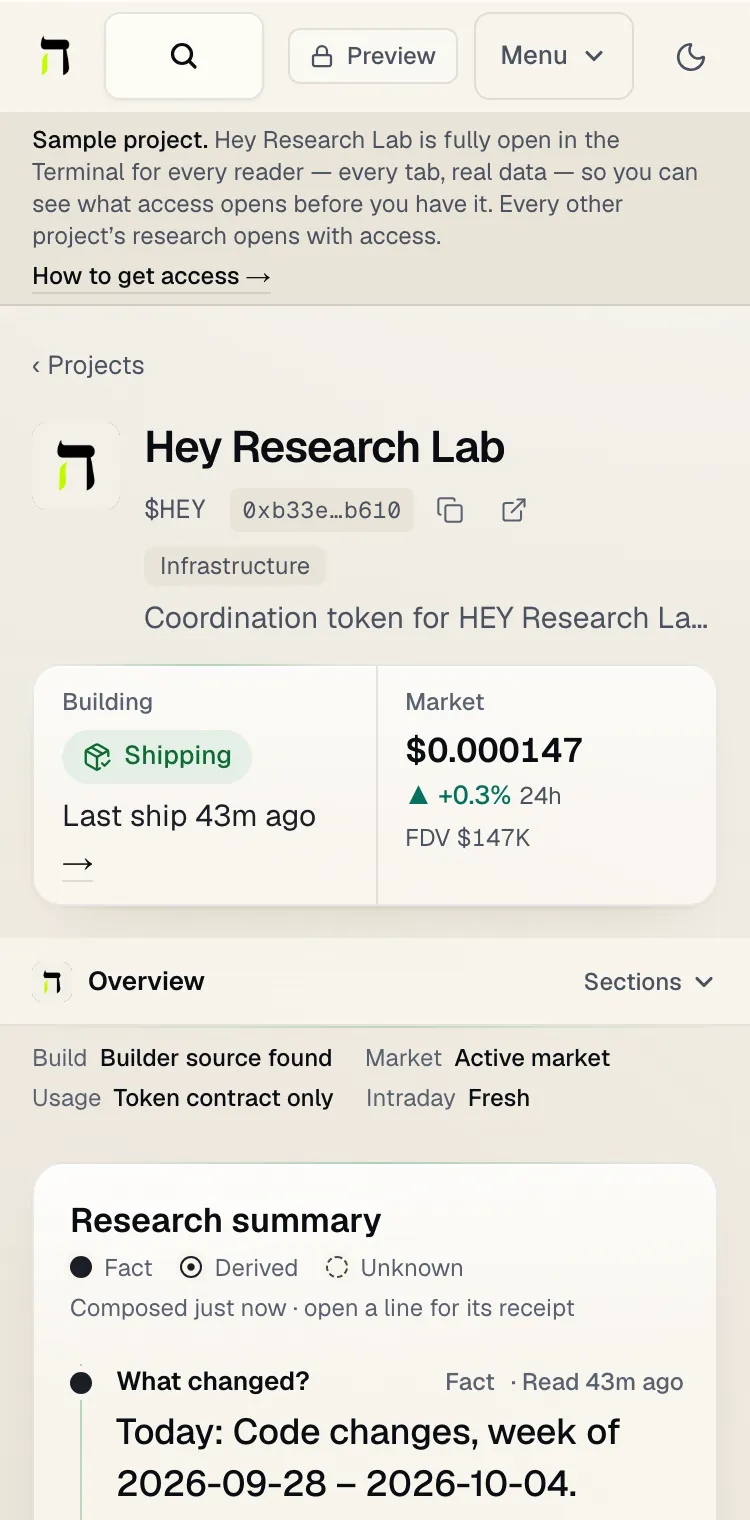 On a phone the groups fold into one Sections menu.
The views are in six groups, each answering one question:
| Group | Question | Views |
|---|---|---|
| Overview | What HEY knows, in one brief | Overview |
| Timeline | What changed, and when? | Timeline, Signals |
| Build | Is it being built? | Ships & releases, Code |
| Market | What is the market doing around it? | Chart, Holders & locks |
| On-chain | Which contracts, and is anyone using them? | On-chain, Usage, Relationships |
| Research | What is it based on, and what is still unknown? | Sources, Ask HEY |
A view that would be empty is not offered: a project without a token has no Holders & locks.
Overview
Coverage strip. One line at the top of every workspace says what HEY can show before you open a tab: Build (a builder source found, or none), Market (an active market, a thin one, a launch pool only, or none), Usage (the token contract only, app contracts, or none watched) and Intraday (fresh, stale or not read). An empty chart or usage view is then expected, not a surprise.

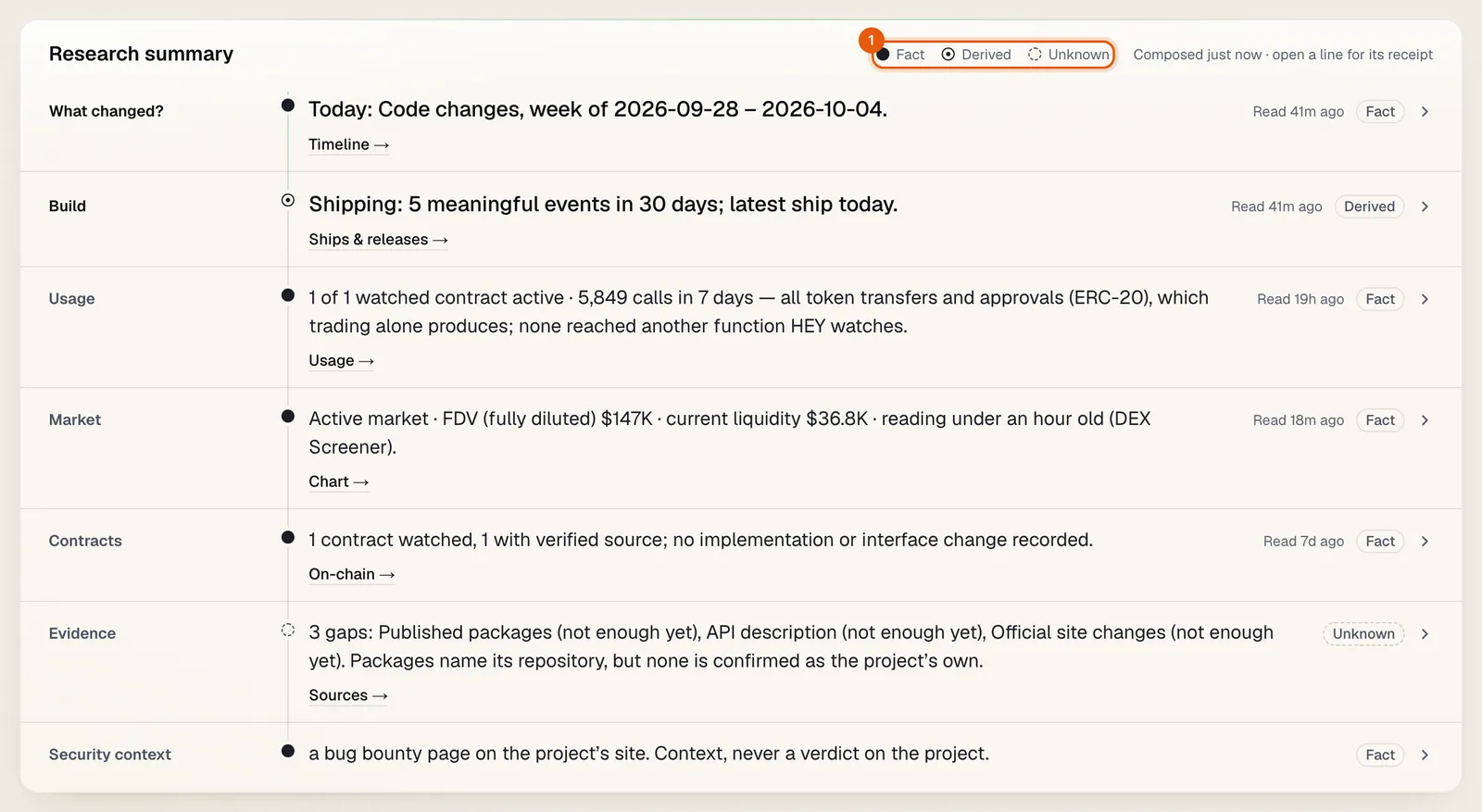
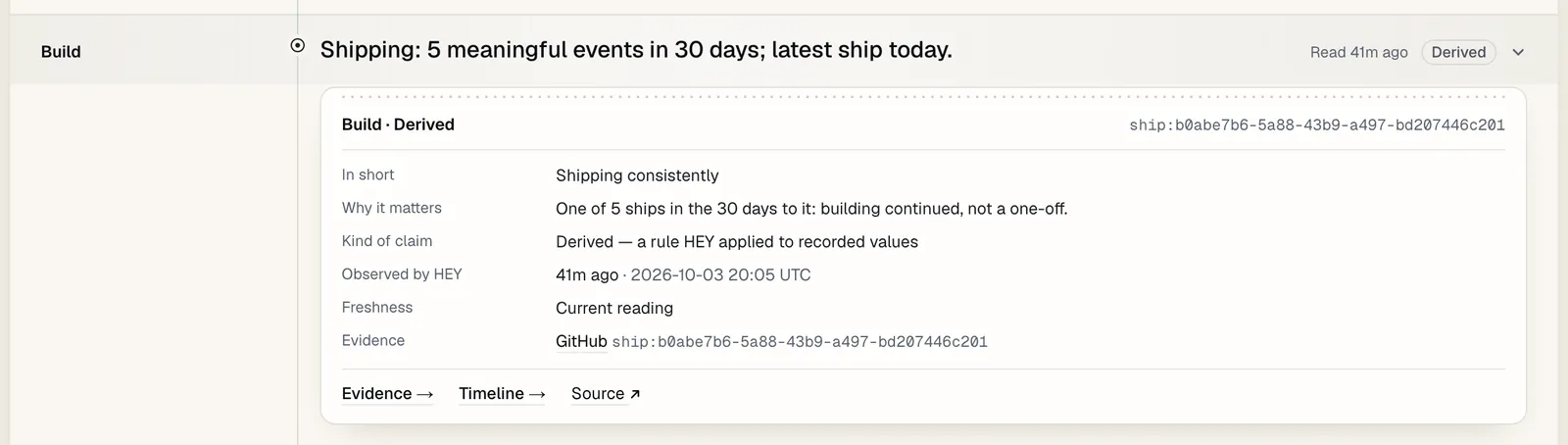
Research summary. One line per question: what changed, build, usage, market, contracts, evidence. Each line is marked Fact (a value HEY recorded), Derived (a rule HEY applied to recorded values) or Unknown (HEY does not hold enough to say; not a zero and not a failure).
Receipts: why each line says what it says. Open any line for its receipt: what kind of claim it is, when HEY observed what it rests on, whether that reading is current, the records it cites, and links to the exact evidence, the view that holds the detail and the original source.
Below the summary: the latest ship, what changed in 30 days, recent activity, Build Momentum, and short panels for market, on-chain, developer footprint and evidence. Peers compares the project only with projects of the same kind, one measure at a time, and says "not enough comparable projects" until there are enough to compare with.
Timeline
Timeline lists every ship, release, contract change, lock and verification, newest first. Lenses narrow it: All, Build, Code & releases, On-chain, Market-relevant and Locks, each with its count. Every row carries how precisely its time is known (an exact time, a date, a week, when HEY saw it, or a scheduled date) and opens into its receipt. Scheduled unlocks are listed apart from the past.
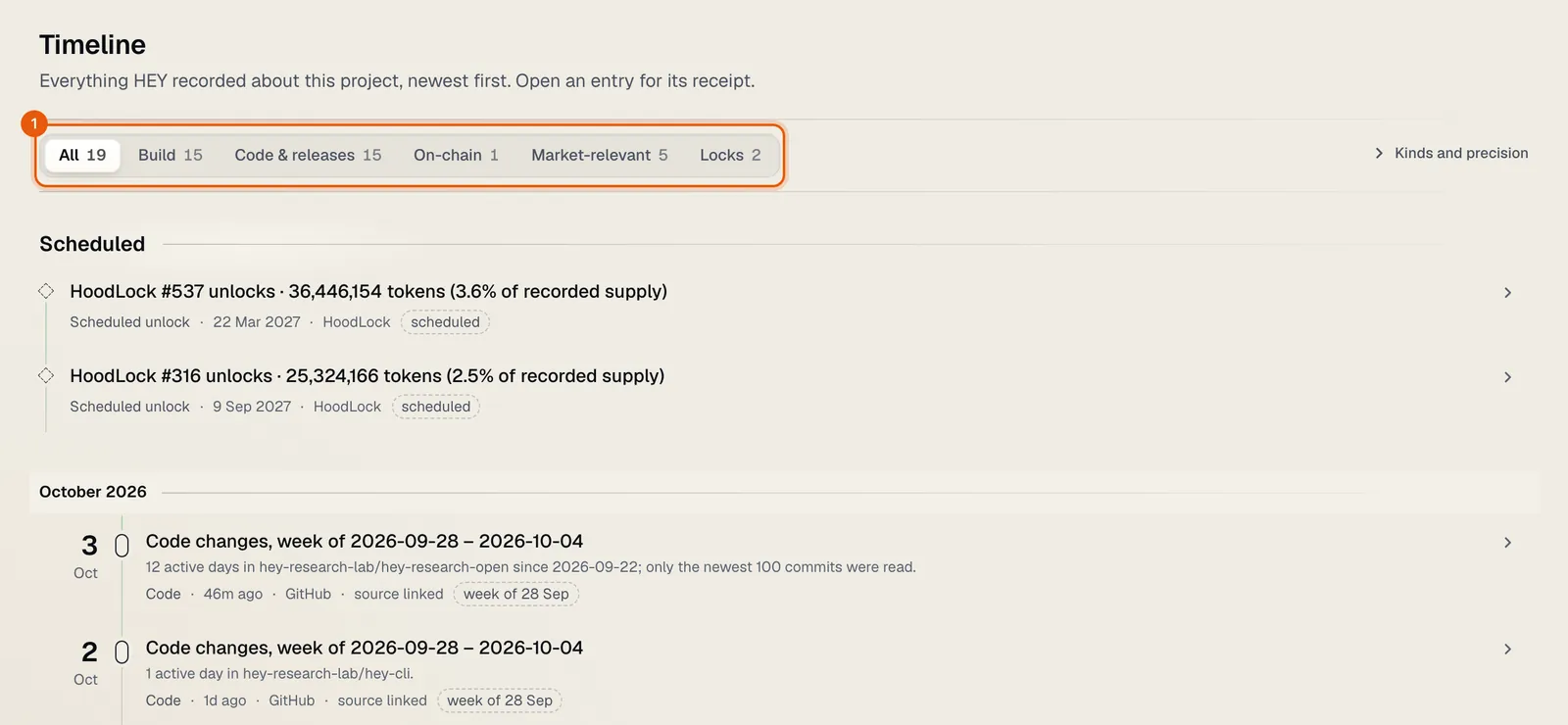
Signals shows the measured changes on this project that cleared a threshold, each with its source. The same signals across the chain are on the public Signals page.
Build
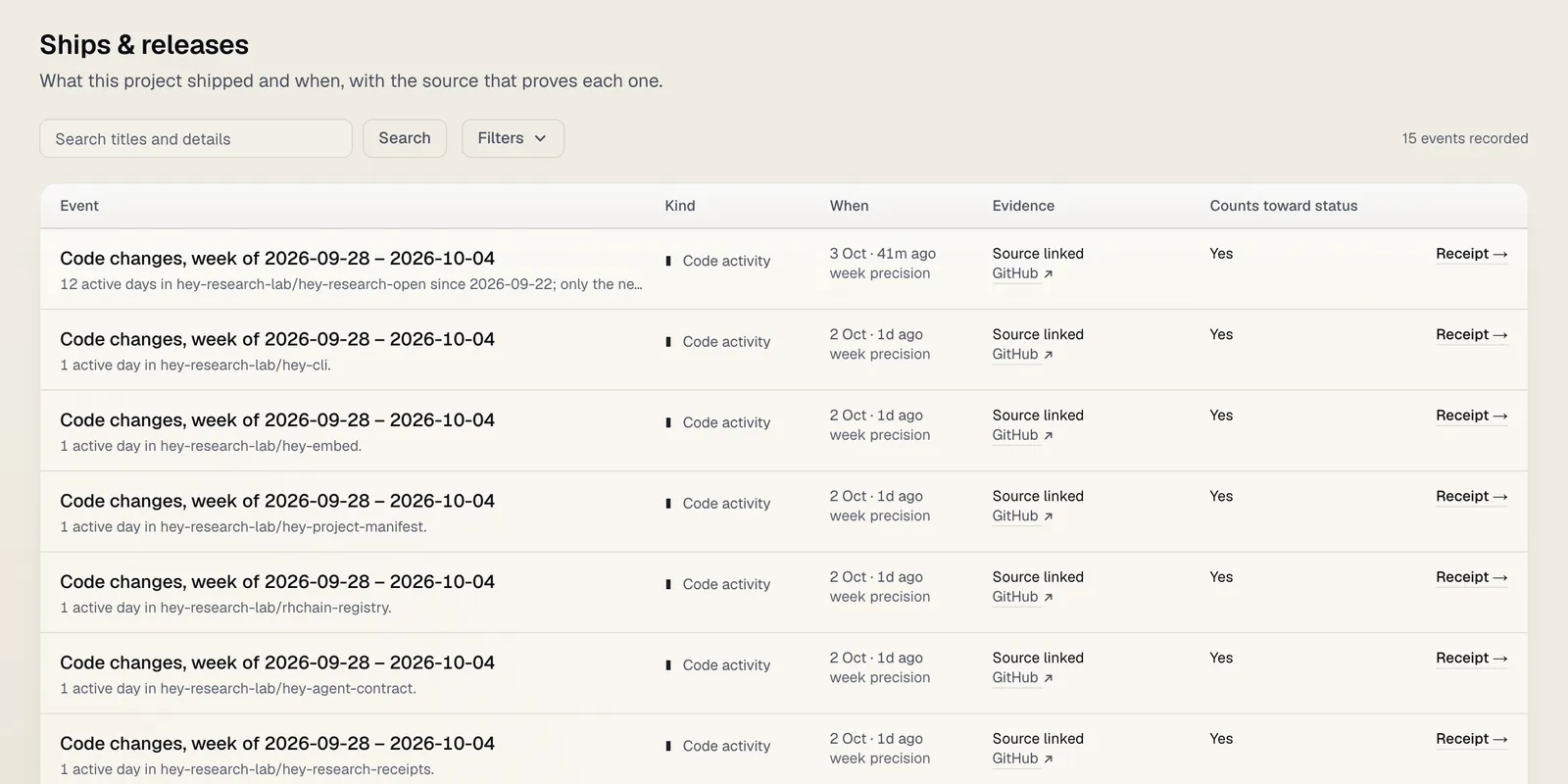
Ships & releases lists every build event HEY holds for the project, with what proved each one, and can be filtered and searched.
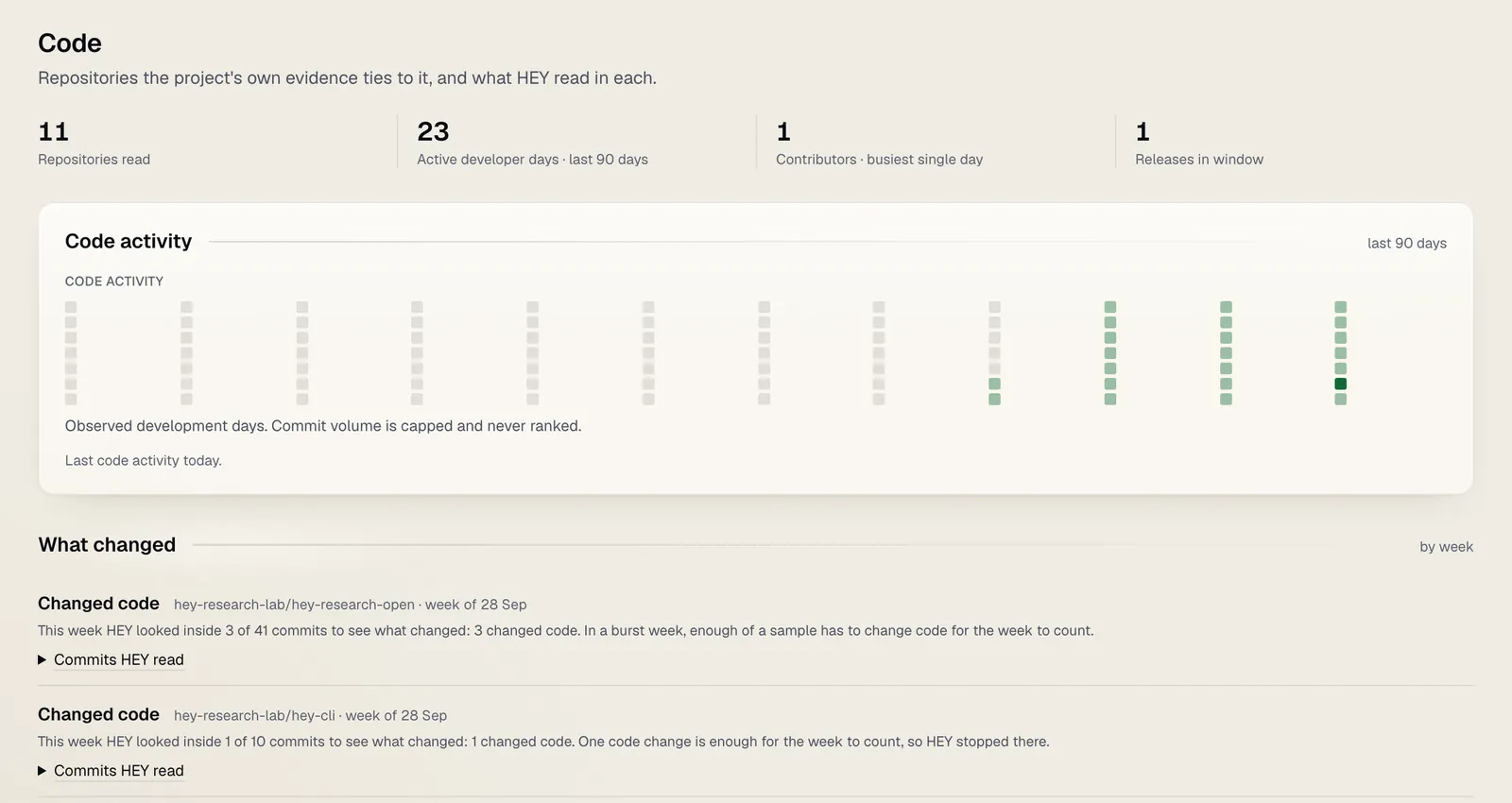
Code shows the repositories HEY reads the project's code activity from, and its developer footprint: official repositories, releases, packages and deployments. Automated and bot commits are never counted as building.
Market
Chart draws the token's price with the project's build events on it.
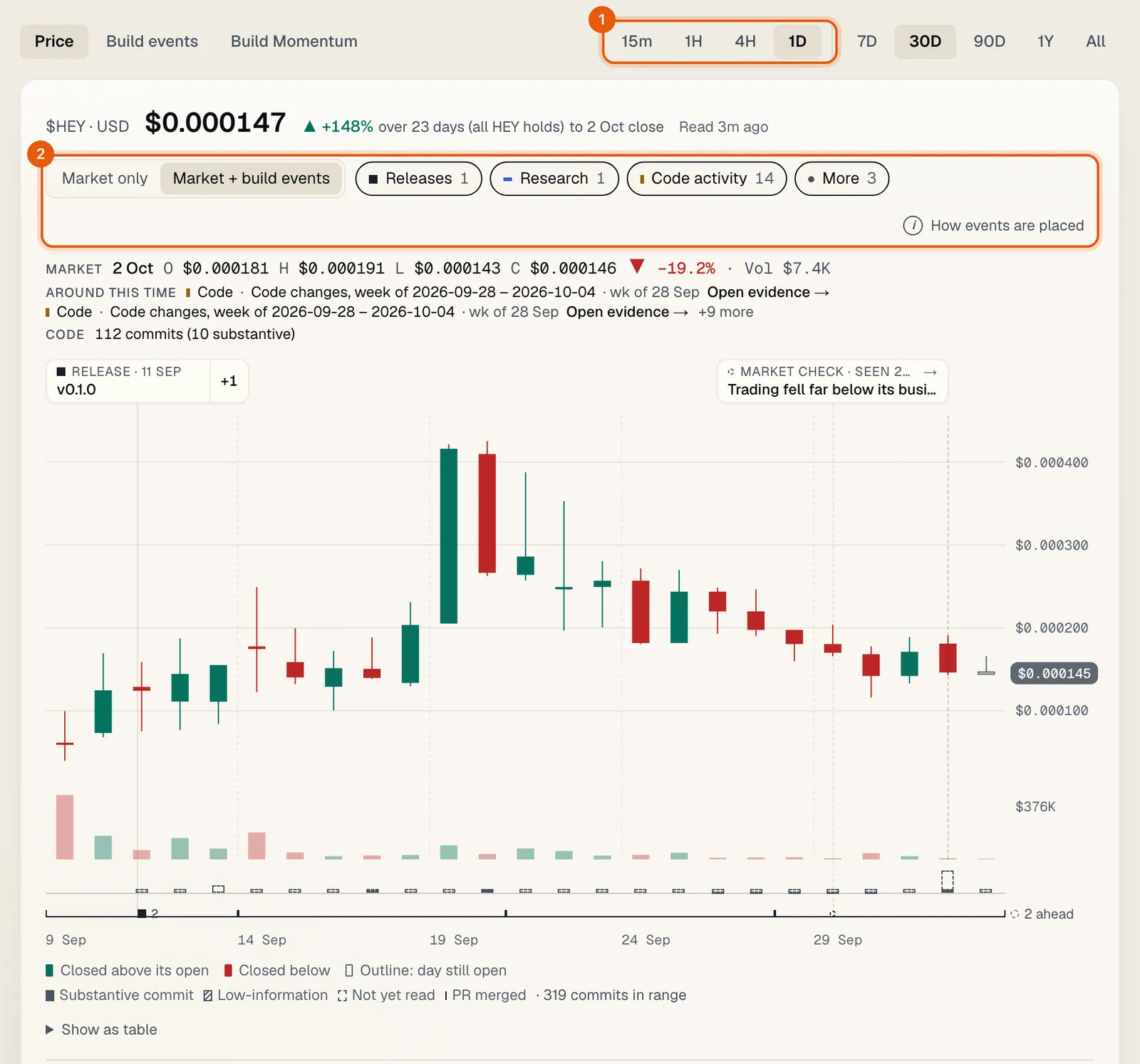 1 Timeframes. 2 Market only or Market + build events, and each family of events on or off.
Timeframes. 1D (the default), 4H, 1H and 15m, each with its own ranges. When HEY has not read a token's intraday bars yet, the chart says so and shows 1D.
Events on the chart. Switch between Market only and Market + build events, and turn each family of events on or off: ships, releases, deployments, integrations, research, contract events, code activity and more. Under the candles, the code lane shows commits per bar and merged pull requests.
Around this event. Choose an event to see what was observed before it, around it and after it: price, volume, liquidity and usage. It is time order only. HEY never claims a release caused a market move.
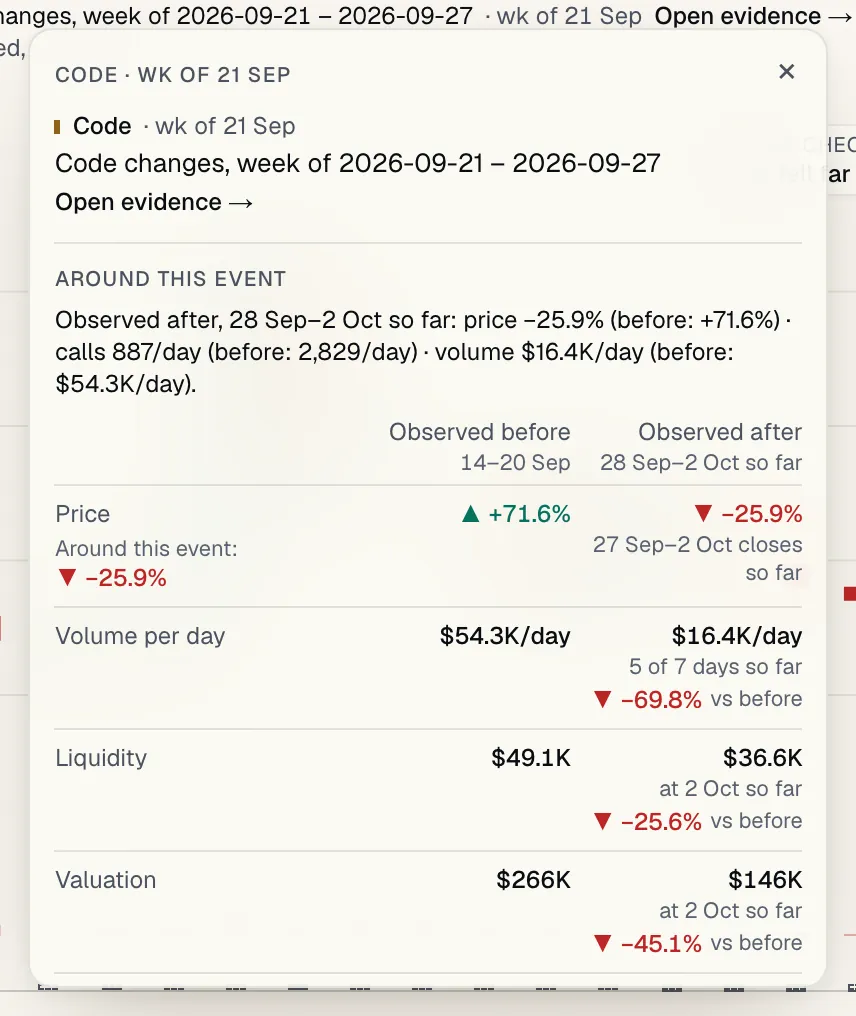
Show as table lists the same data as rows. A bar HEY has no reading for is a gap, never a zero, and a bar still open is drawn as an outline.
Market checks. Checks for liquidity pulls, pool moves and conflicting prices, each with its evidence. They are a reading of the market, never a verdict on the project.
Holders & locks shows the token's distribution (how concentrated its largest balances are, and which of them are a pool, a locker or burnt) and its locks, with the unlock schedule and a receipt for each lock. An address there is a point on a chart of one token's supply, never a person.
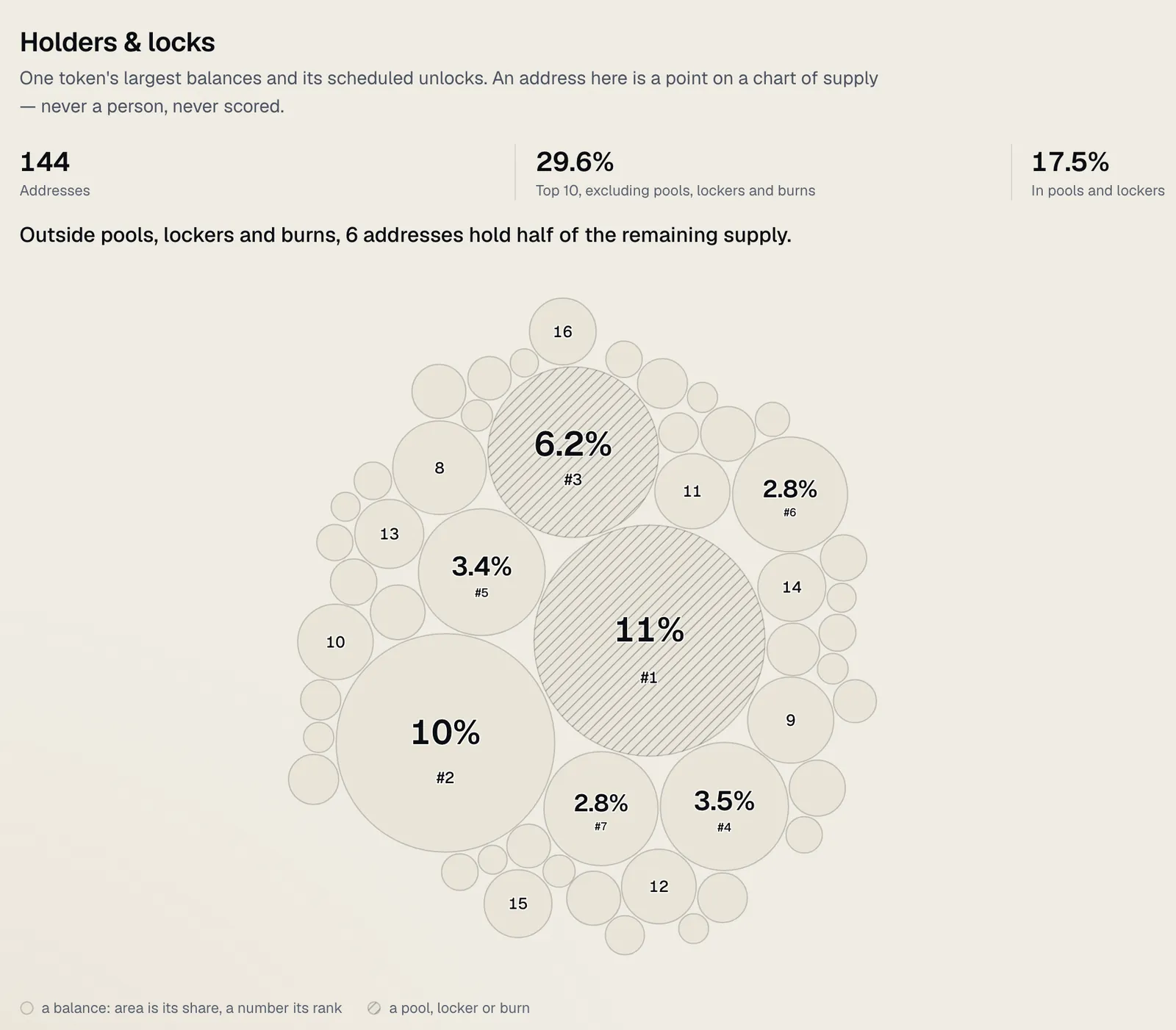 The summary and the supply map; the list of largest balances beside it is left out of this picture.
On-chain
On-chain lists the contracts HEY watches for the project, whether their source is verified, and any implementation or interface change.
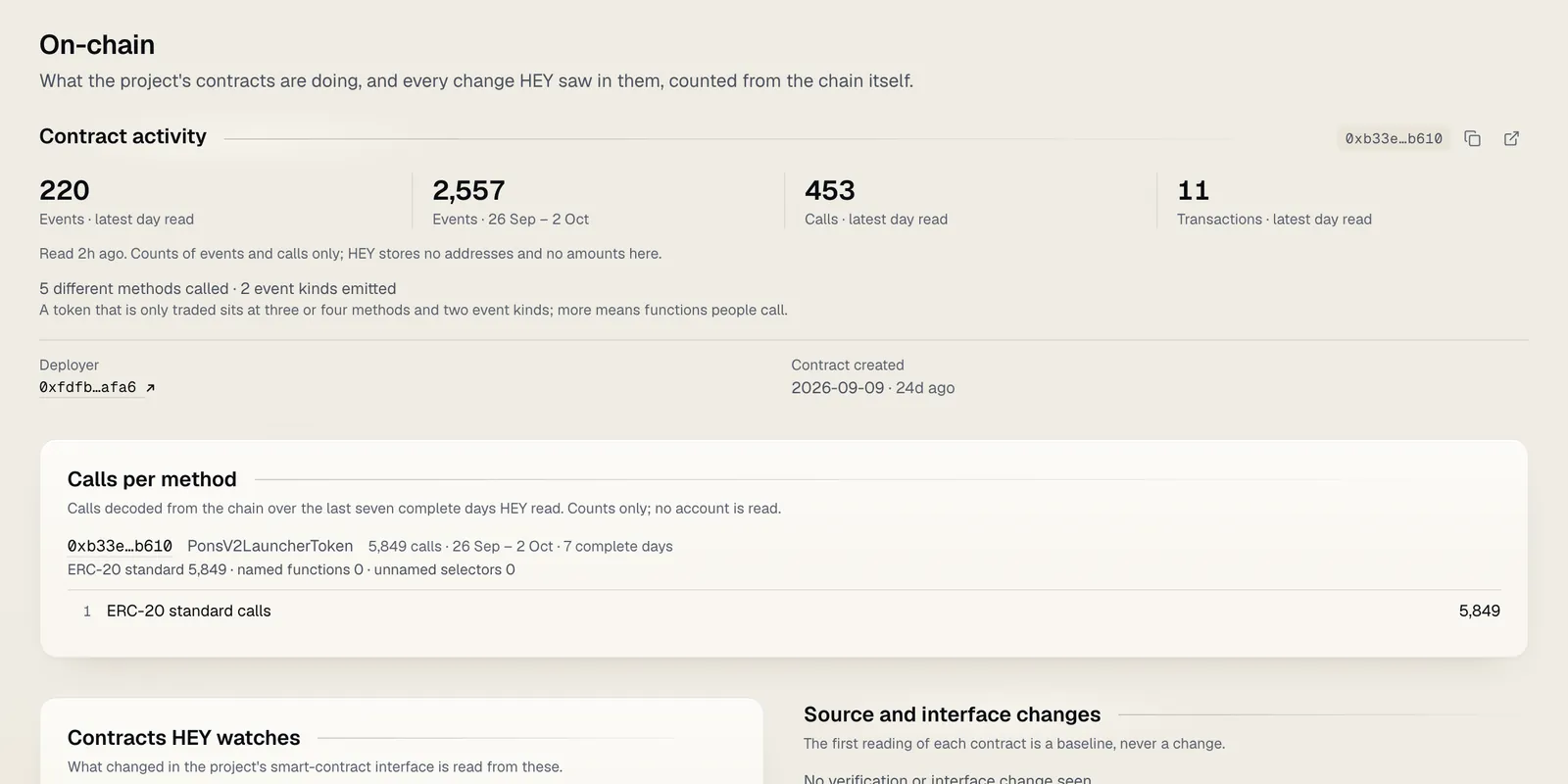
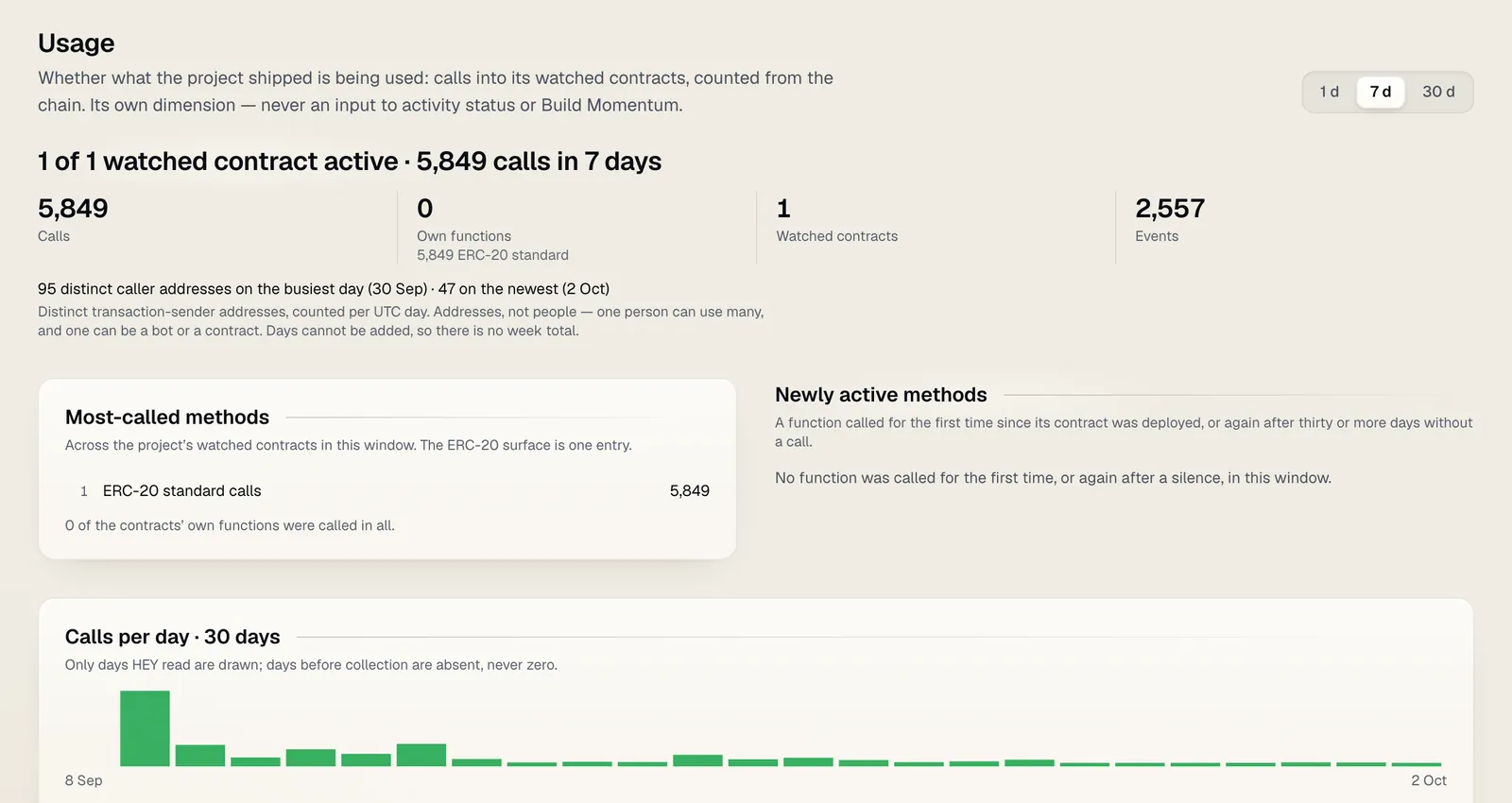
Usage shows whether what the project shipped is being used: calls into its watched contracts over 1, 7 or 30 days, the methods called, and distinct caller addresses per day. Addresses are not people: one person can use many, and one can be a bot or a contract. Days cannot be added up, so there is no weekly total of addresses. Usage is its own dimension and never feeds activity status or Build Momentum.
Relationships shows what is connected to the project (contracts, repositories, packages, domains, docs, launchpads) and the evidence for each link. HEY never calls a link a partnership.
Research
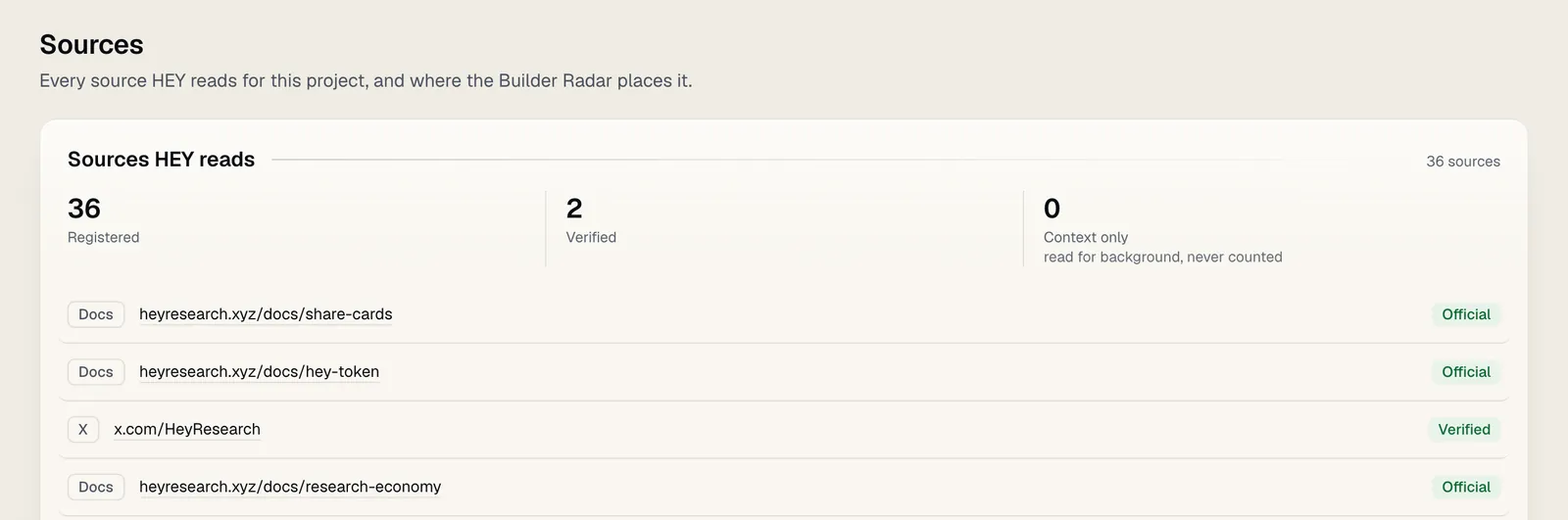
Sources lists every source HEY reads for the project and how far each is trusted: official, verified, found in a launch or market listing, or kept for context only (never counted as the project's own evidence). It also shows the security context (an audit link, a bug bounty page; context, never a safety verdict) and where the Builder Radar places the project.
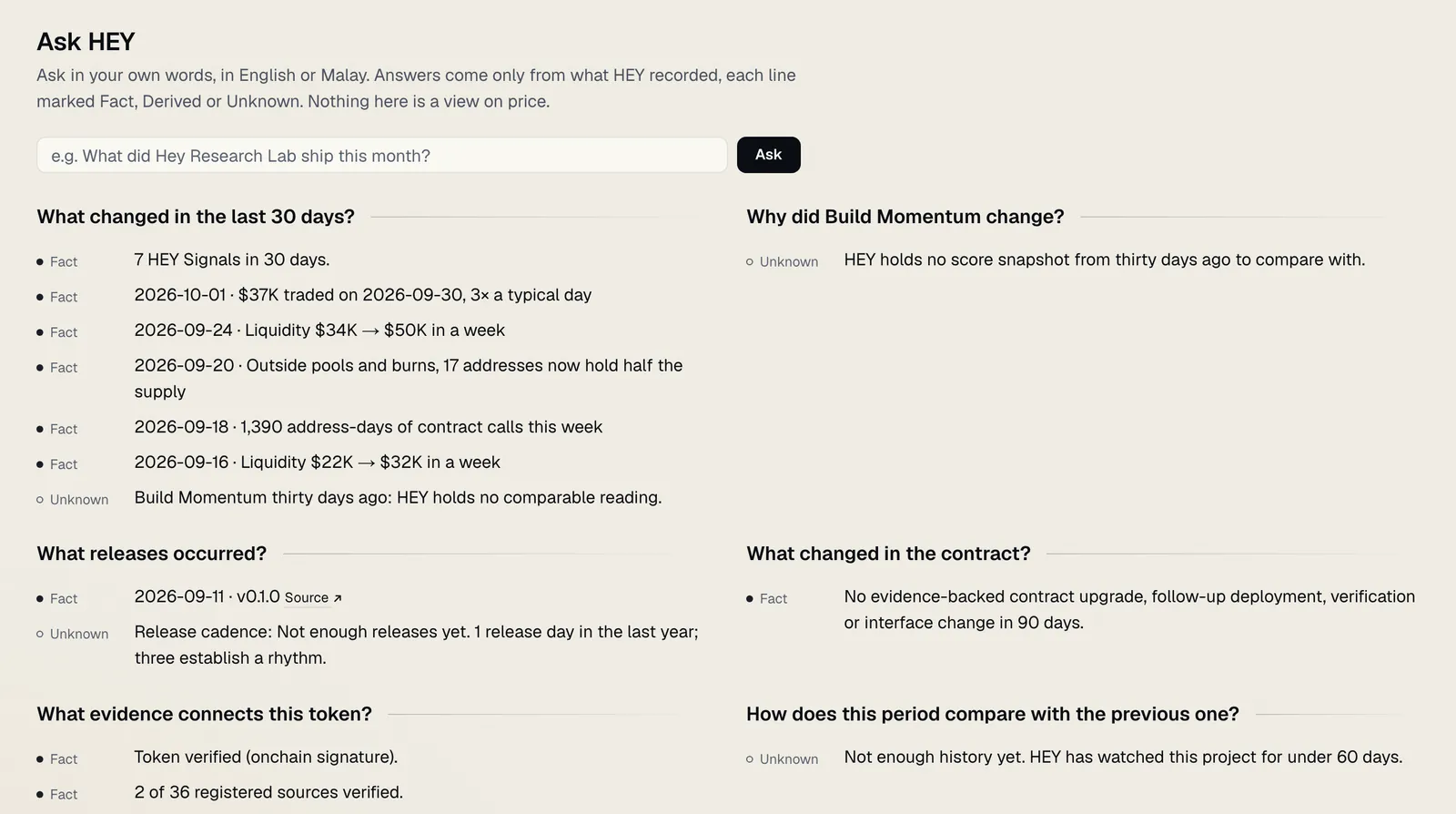
Ask HEY opens with common questions already answered: what changed in the last 30 days, which releases occurred, what changed in the contract, what HEY does not know, and more. Ask your own question in English or Malay. Every line of an answer is marked Fact, Derived or Unknown and cites the records behind it. When HEY's optional AI layer is on, answers can be composed in sentences, still only from HEY's records. Nothing in Ask HEY is a view on price. More about it in AI-assisted research.
More › Ask HEY asks a question across the chain rather than about one project, answered the same way.
What changed
What changed in the header opens HEY Today: what changed on Robinhood Chain, most meaningful first. Choose the window: since your last visit (when signed in), today, 24 hours or 7 days. Projects you follow come first. Unlocks due soon follow under "Coming up". Every row opens its exact record.
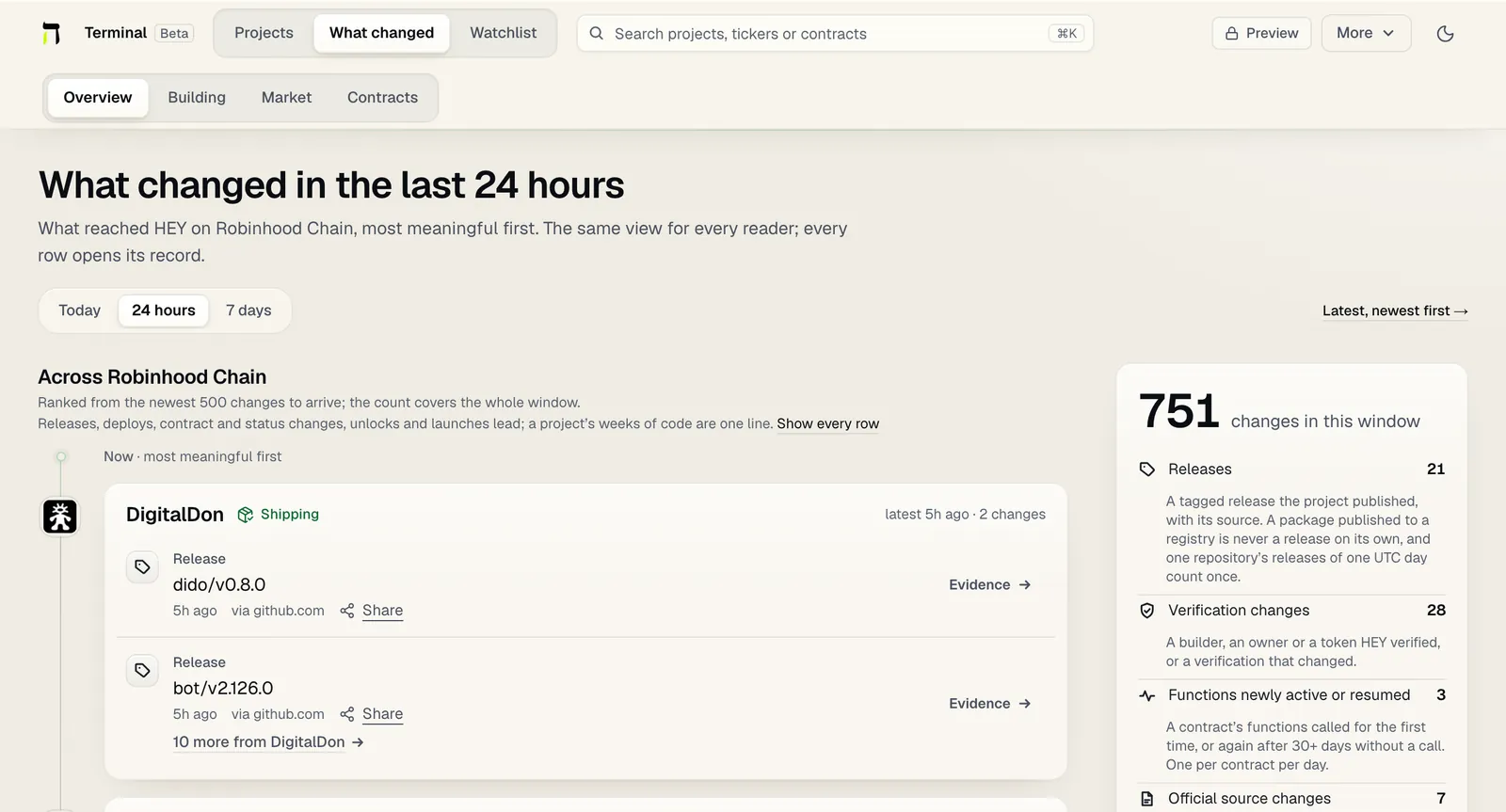
The same place holds the chain-wide lists: shipping quietly, shipping faster, back to building, the build-versus-market map, market gone but still building, contract changes and upcoming unlocks.
Compare
Compare (in the More menu, or on any project) puts two to four projects side by side: build, market, on-chain and evidence rows. No column is highlighted, no row is sorted and nothing is added up into a winner.
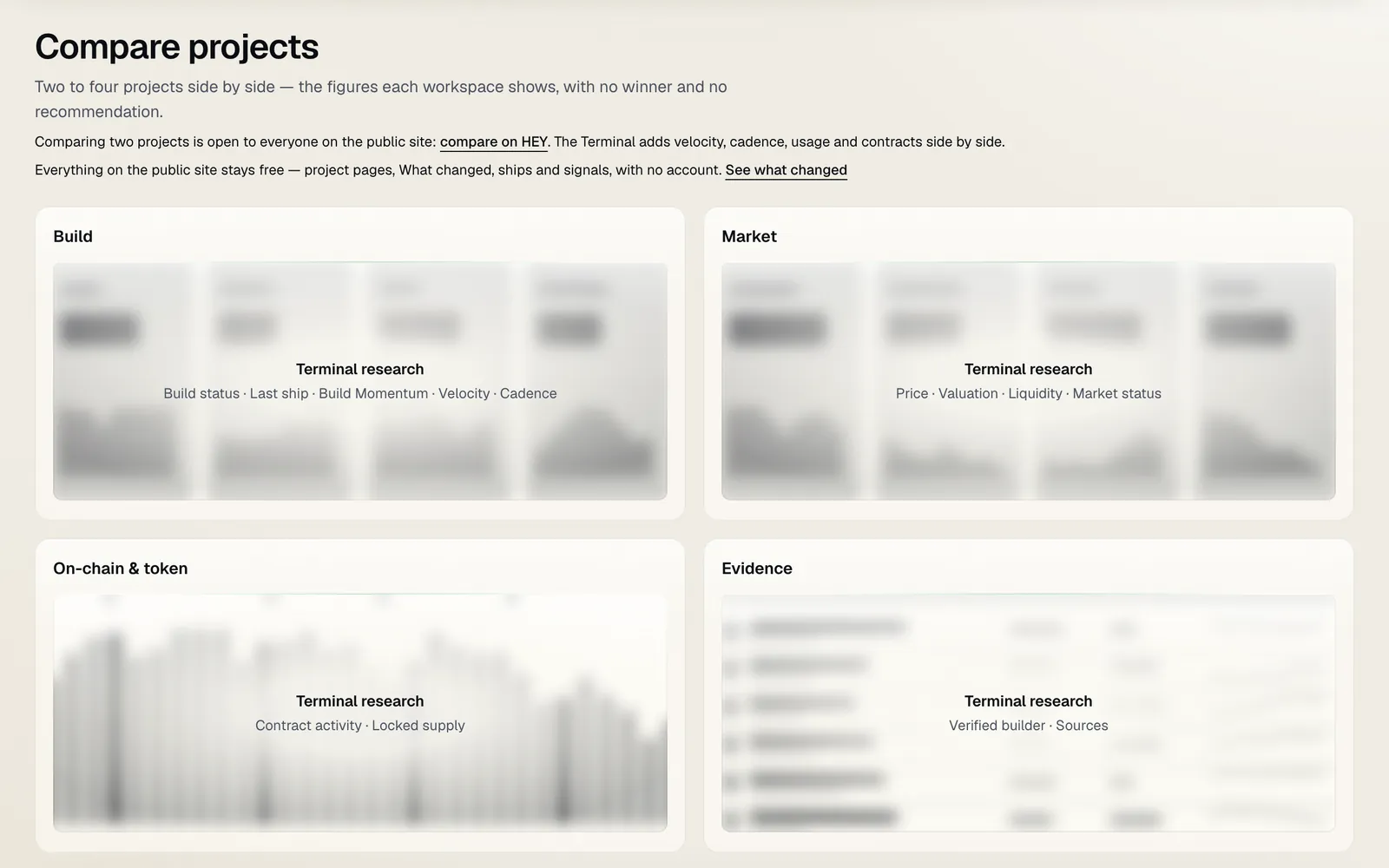 Signed out, as here, the panels are locked; comparing two projects stays free on the public site.
Watchlist, alerts and the daily email
- Follow a project from its workspace. The follow form carries one box, ticked by default: alert me when a project I follow has a release, a contract deploy, an activity status change or another meaningful change. One press follows and turns the alerts on, for every project you follow now and later. Never a price or trading alert.
- Watchlist in the header shows what changed on everything you follow since you last looked. Mark a change reviewed, or queue the project to look at later.
- Alerts arrive in HEY. They also arrive by email when your account has a confirmed email address. An account that signed in with a wallet only can add an address on the public Watchlist page.
- Daily email. With a confirmed address you can turn on one message a day of what changed on the projects you follow.
More in Watchlist, updates and feeds and Alerts.
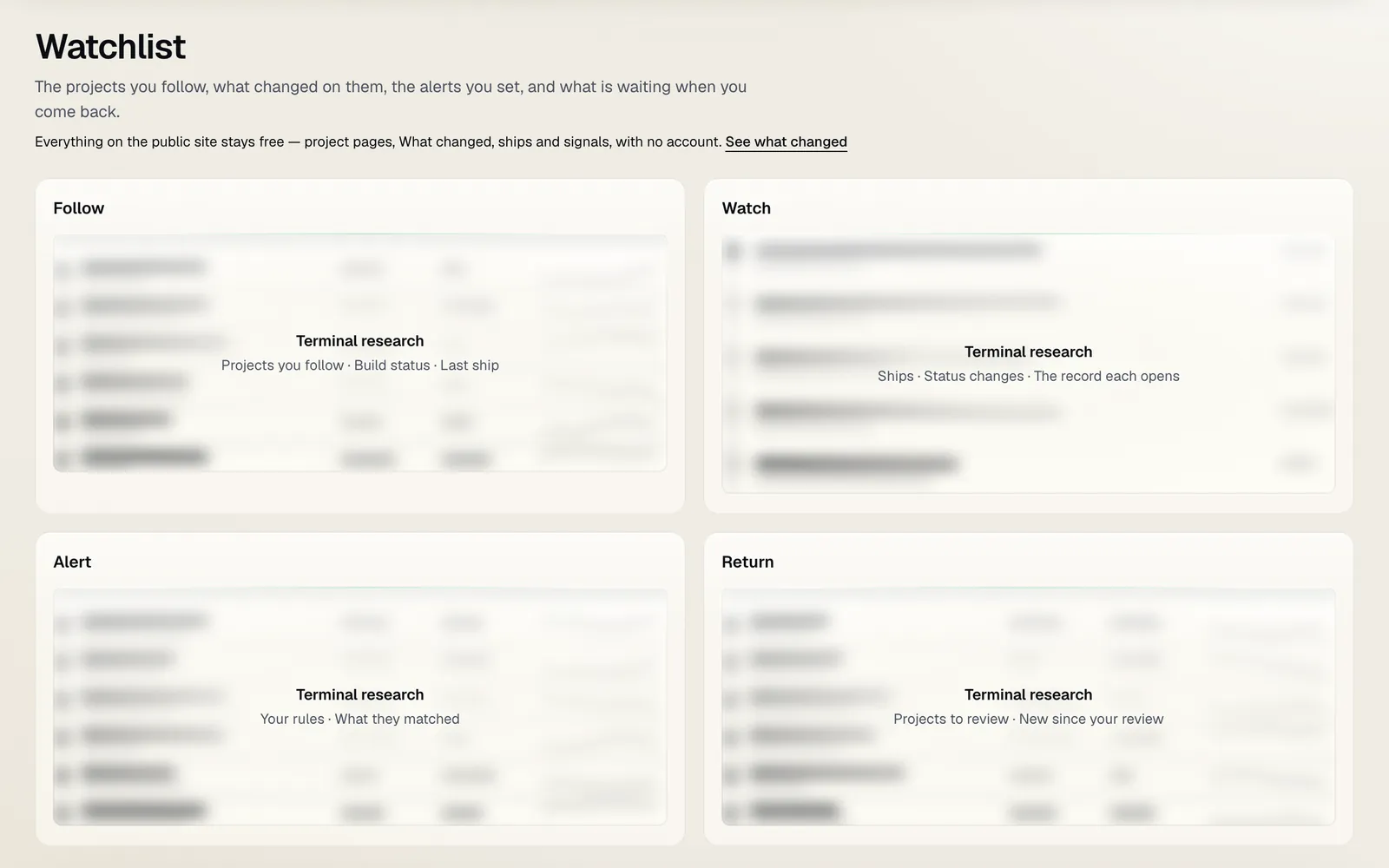 Signed out, as here, the watchlist is locked; a watchlist and alerts stay free on the public site with any account.
Boards and the research queue
Both sit beside your watchlist: Watchlist has Updates, To review and Boards.
Research boards are your own arrangements of projects and fixed panels, private by default. You can share one by link; a shared board shows public data only, never your notes or your watchlist. Add a project with Add to board in its ⋯ menu.
The research queue (To review, or More › Research queue) is your list of projects to look at next: when you last reviewed each one and what HEY recorded since. Add a project with Add to review queue in its ⋯ menu, and press Mark reviewed when you have looked.
Search, the command palette and shortcuts
The search field in the header finds projects by name, ticker or contract address, and opens into the command palette. Type a project's name to open it, or a short command:
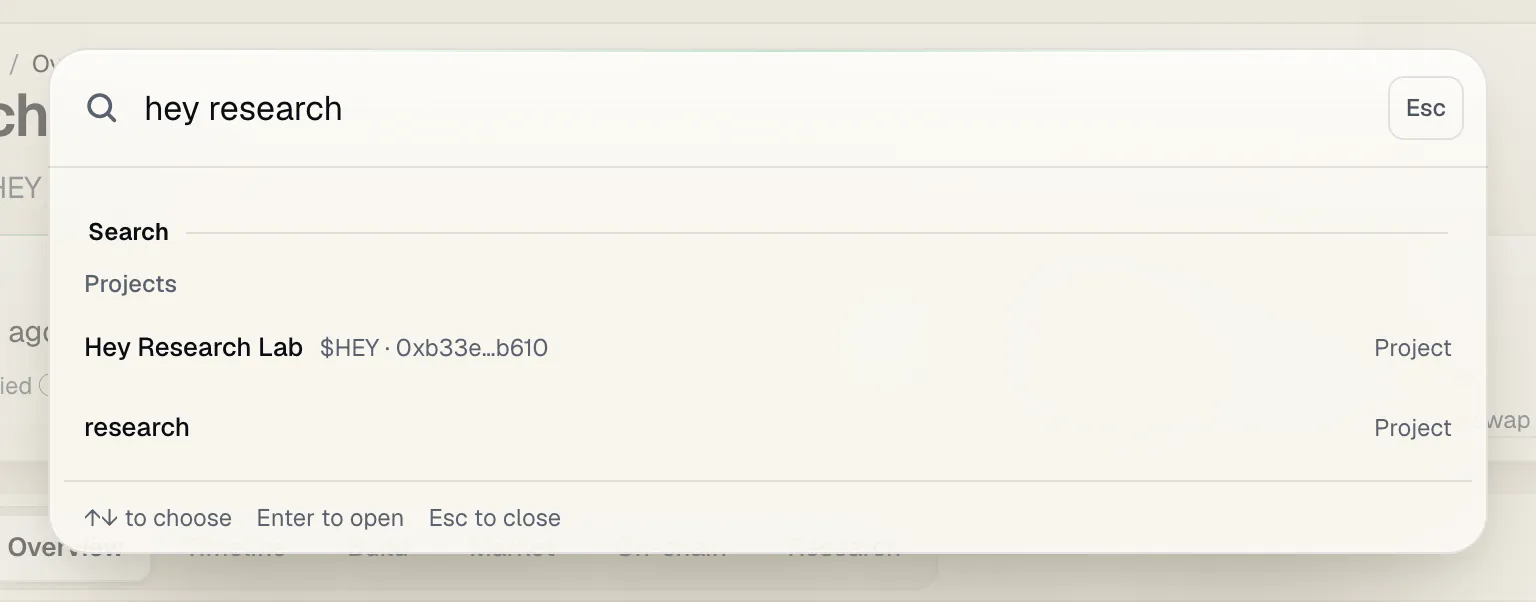
agentos timelineopens that project's timeline; any view name works the same way.compare pons, agentoscompares up to four projects.go today,go quietorgo scanopens a Terminal page.ask agentos what did they ship?asks that project's Ask HEY.watch agentosorqueue agentosopens the project where Follow and the queue are; nothing is followed or queued until you press the button.- A whole contract address opens the project that holds it, or Scan when no project does.
| Key | What it does |
|---|---|
⌘K (Mac) or Ctrl+K |
Open the search and command palette from any Terminal page |
↑ ↓, then Enter |
Move through the suggestions and open one |
Esc |
Close the palette, an open menu, an open receipt or a chart event panel |
F |
Turn focus mode on or off (not while you are typing) |
← → |
On a focused chart, move one bar; Home and End jump to the first and last bar |
Focus mode hides the header and footer so the page is the research and nothing else; Exit focus at the top right brings them back.
Scan a contract (More › Scan a contract) asks "Is anyone building this?" of any address, including one HEY has never seen.
Reduce transparency and the theme
The Terminal is drawn in layered glass. More › Reduce transparency replaces it with opaque, higher-contrast surfaces, and the setting is remembered on this device. HEY also follows your system's reduce-transparency and reduce-motion settings. The theme button beside More switches between light and dark.
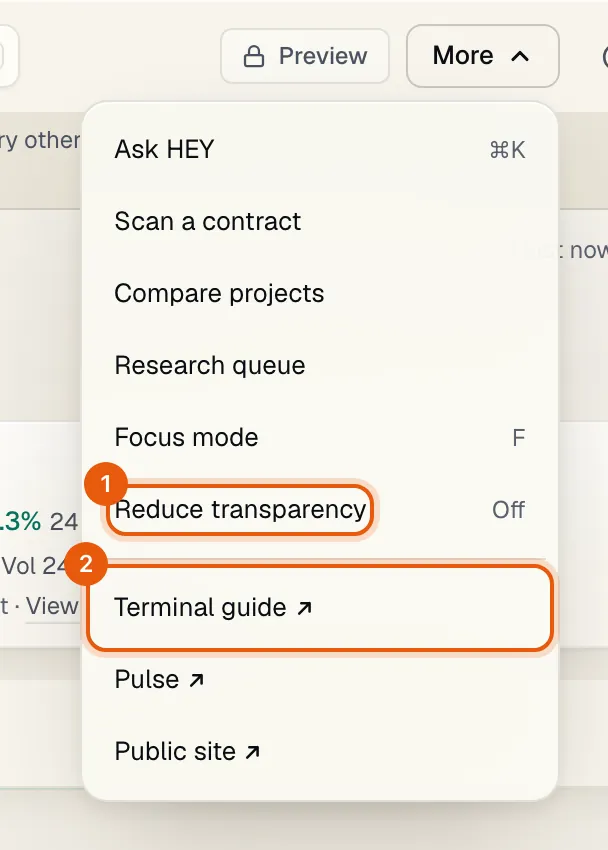 1 Reduce transparency. 2 This guide, from any Terminal page.
How to read what you see
- Unknown is never zero. A missing figure is not a zero, and "not read" is not "none". A project HEY has not measured is a different answer from a project measured and found inactive.
- Market data is context, never a ranking. Price, valuation, liquidity and volume are shown beside the building story and never decide activity status, Build Momentum or any ordering HEY makes. A green or red candle is the market's direction, never a judgement of the project.
- Activity status is how recently a project shipped something meaningful, from its own public sources: Shipping, Active, Quiet, Dormant or Resumed building. Never from the token price.
- Activity not measurable: HEY has a ship on record but no repository, changelog or feed it can keep reading, so whether this project is building now cannot be judged. The last ship is the newest evidence HEY holds.
- Still Building: Market attention declined while meaningful building continued. It is measured only on a token with an active market of the project's own. It describes the past and is not a buy signal.
- Under the Radar (shown as "Building, little attention") marks projects shipping steadily whose tokens get less market attention than their building would suggest, measured only on an active market. It describes building and attention, not a recommendation.
- Launch pool only means the token trades only in its launch pool, which is not a measured market: HEY does not compute a Discovery Gap, Under the Radar or Still Building for it.
- Not investment advice. Nothing in the Terminal says or implies that building will move a price. HEY makes no prediction, no valuation and no recommendation.
The rules behind every figure are on Methodology, and every term is in the Glossary.
Beta: what it means, and how to tell us
Beta means the Terminal is live and in use, and still changing. Views are added, renamed and rearranged as readers use them; a view can break or load slowly; and HEY may close the Terminal for a while when it needs to, in which case the access page says so. The research rules themselves are versioned and published on Methodology, so a change in what a figure means is never silent. What is free on the public site stays free.
To report a bug or ask for a feature:
- Email hi@heyresearch.xyz with the page's address and what you expected to see. If a view failed to load, it shows a short reference; include it.
- On X, write to @HeyResearch.
- A wrong fact about a project: use "Report an error on this page" on that project's public page. Accepted reports are listed on the corrections page.
A person reads every report and request. They decide what HEY fixes and builds next.